![ONLIVE.SITE_LOGOTYPE_WHITE 1.png]](https://knowledge.onlive.ai/hs-fs/hubfs/ONLIVE.SITE_LOGOTYPE_WHITE%201.png?height=40&name=ONLIVE.SITE_LOGOTYPE_WHITE%201.png)
To enable pop-up notifications in your browser so that Onlive can notify you of new calls, messages or requests, please follow the steps below.
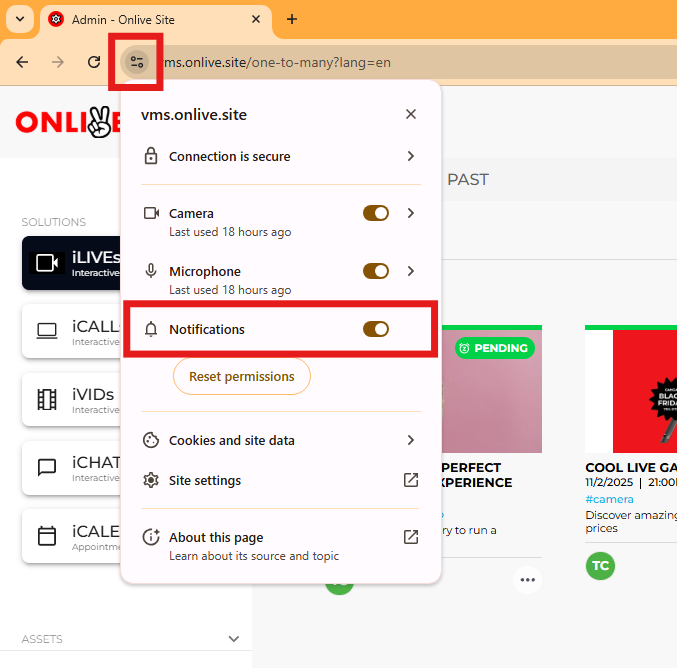
You can quickly go to the website options and activate notifications:
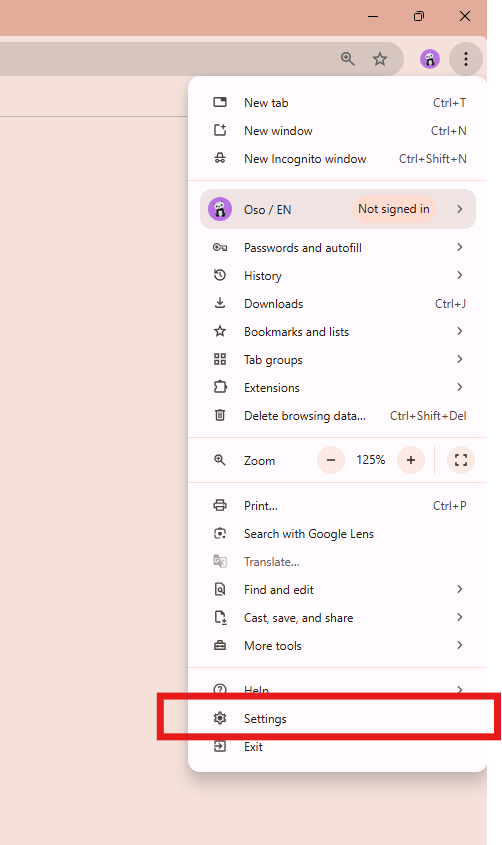
You can also do this by accessing your browser settings.
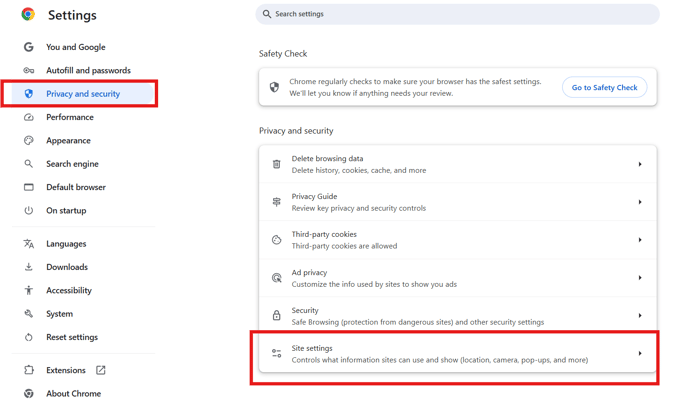
Then go to Privacy & Security > Settings
Select vms.onlive.site:
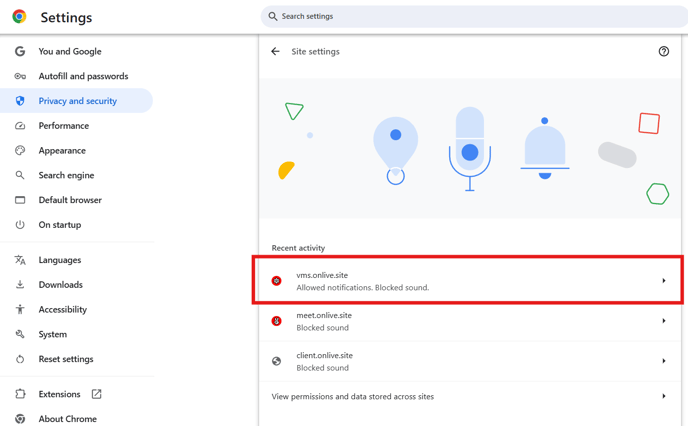
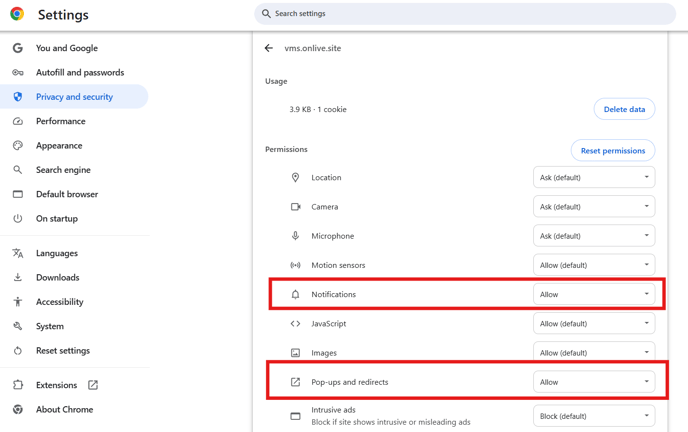
Activate the desired options: