![ONLIVE.SITE_LOGOTYPE_WHITE 1.png]](https://knowledge.onlive.ai/hs-fs/hubfs/ONLIVE.SITE_LOGOTYPE_WHITE%201.png?height=40&name=ONLIVE.SITE_LOGOTYPE_WHITE%201.png)
Onlive.Site allows you to restrict your LiveShopping events from the source (your website) to your social channels.
There are 2 ways to connect Facebook to the Onlive platform:
1. Connecting your personal account:
In this case a direct connection is made with Facebook so it will connect your personal account and the pages created through that account. If you are not the creator of the pages you will not be able to broadcast the content on them and you will have to go for option 2.
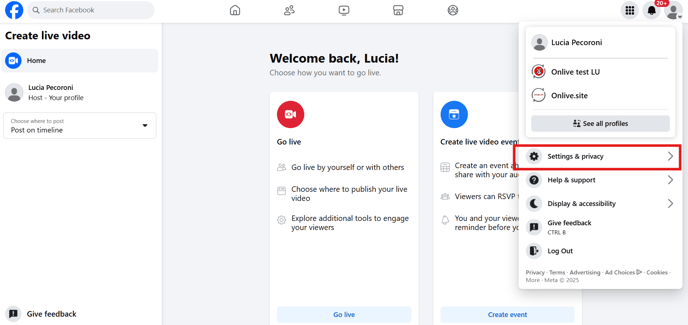
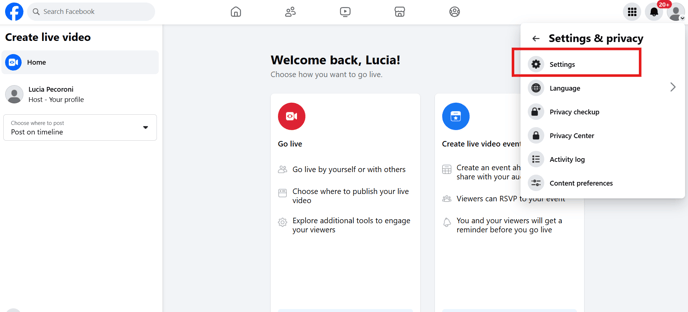
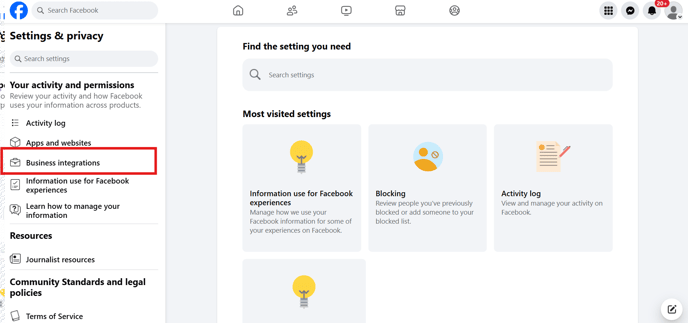
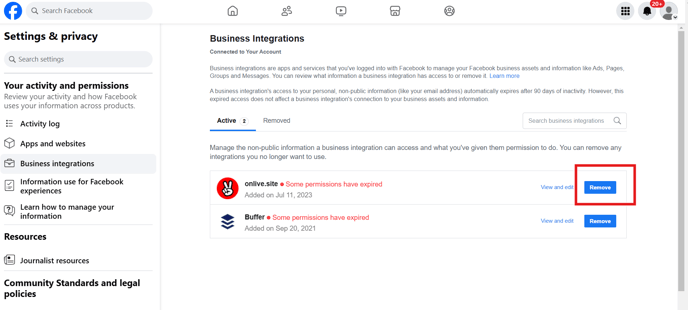
If you need to disconnect your account you can see how to disconnect at the end of the article.
2. Connection via RTMP:
With this option you will be able to connect any Facebook page you have access to by accessing the following link and following the steps in the video.
Advantages of streaming:
- You reach a wider audience: Not only will they see you from your website, but in parallel from your main social channels
- Push Notifications: When the event streaming on Facebook starts, a push notification will be sent to your channel subscribers, so they will find out that there is a live show going on
- Transform followers into leads: Remember that in RRSS you don't have the user data. Make sure you move from RRSS (where you can't interact more dynamically and immersively) to your website and get them registered before or during the event.
- One stop shop: From the same Onlive account you can limit it in parallel to Instagram, Facebook, Youtube, Linkedin and more soon
- You can drag to more than one channel at a time (example: your
Keep in mind that streaming is only visual, so:
- Users will not be able to buy or click on the elements shown on screen or participate in surveys or games
- You need to leave the link to access the event in the live title or description
- Instagram chat must be managed directly from instagram and not from onlive.
Finally remember that the signal can reach your social channels with some latency, that is to say it can take a few seconds (between 5-50 seconds is normal) to see you on Facebook. This is normal and happens with all kinds of restriction.
Disconnessione dall'account Facebook: