![ONLIVE.SITE_LOGOTYPE_WHITE 1.png]](https://knowledge.onlive.ai/hs-fs/hubfs/ONLIVE.SITE_LOGOTYPE_WHITE%201.png?height=40&name=ONLIVE.SITE_LOGOTYPE_WHITE%201.png)
In this section we will show you the step-to-step of how to integrate into your own website a widget that will allow each commercial agent to automatically dispose of its own agent page.
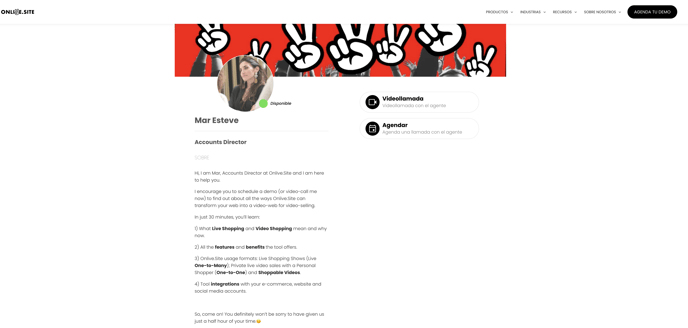
On that page will be visible the photo, name, title and description of the agent that can be customized at any time.
It also has two buttons (although you can leave only one of them) - Instant video call if the agent is available or schedule a poll (immersive video) as per availability.
This page may be linked to the signature footer in the emails or to a QR on the business business business business business business business business cards.
It is the ideal option to increase the productivity of your business or customer service team by allowing users to connect with them effectively.