![Cupra_White 1.png]](https://knowledge.onlive.ai/hs-fs/hubfs/Cupra_White%201.png?height=40&name=Cupra_White%201.png)
For the pilot launch of Tavascan, the decision has been taken by HQ/Central that the CUPRA Masters of each dealer will share unique credentials (login email and password) to access the tool (eg: tavascan@castellanamotor.es). As a result, there will only be one CUPRA Master profile per dealer.
The email address for logging in to the tool is the one provided by the market managers during the set up process. If there is any doubt as to which email address was provided, dealers should contact the CUPRA manager of the respective market.
Click Aquí para ver quién es el responsable CUPRA de cada mercado
As a reminder, given the nature of the pilot in which several people may share credentials, it is important that:
1) A generic email address is used for each dealership to which the CUPRA Masters participating in the Tavascan launch pilot have access.
2) All emails received at this email address (eg: tavascan@castellanamotor.es) are automatically forwarded to the individual emails of CUPRA Masters who may be subject to accompany/assist on Test Drives (eg: mar@castellanamotor.es; jose@castellanamotor.es, luci@castellanamotor.es) so that these individuals are notified of new bookings or reminders of nearby Test Drive bookings.
These two recommendations are not mandatory, but from CUPRA Central we believe that they can be useful at an organisational/operational level given the limitation during the pilot to create only one user per dealer, so initiatives 1) and 2) have to be managed by the postmaster of each CUPRA Master.
FIRST ACCESS:
Once it is understood which e-mail address is the one that is registered on the platform for the pilot, to access it the first time, you must:
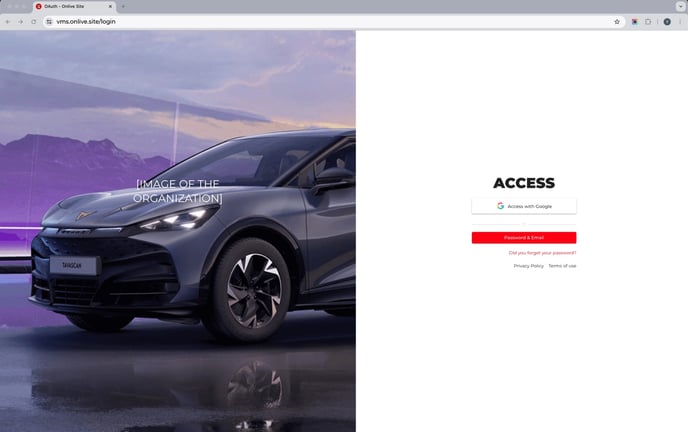
1) Go to the URL from which the access screen shown below can be viewed.
2) Click on ‘Forgot your password?
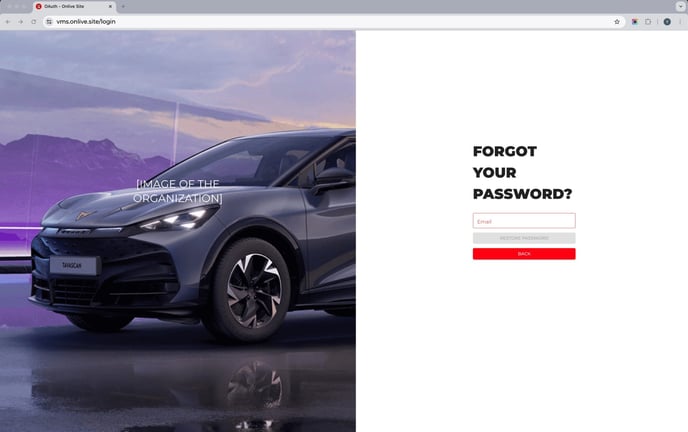
3) Enter the e-mail address set for the pilot and click on RESTORE PASSWORD.
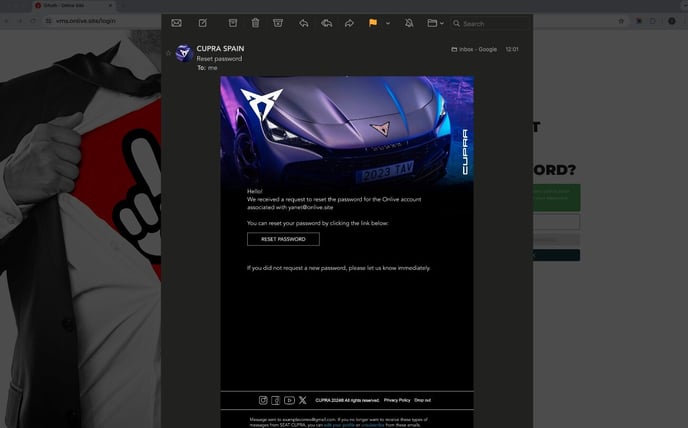
4) The CUPRA Master will receive an email with a link to enter a new password.
5) Set new password
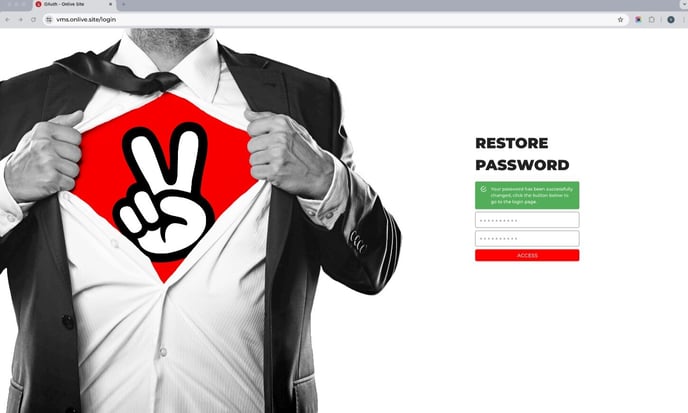
6) From then on, you can always access the platform by providing the credentials established in the following LINK.
In the event that several people share access, they will have to share the password among the colleagues/CUPRA Masters of the dealership so that all the people participating in the pilot can access the platform.
The language of the backend can be changed directly from the 3 dots at the top right.
Finally, an explanatory video of the initial flow can be viewed here at the following link: