- Knowledge Base Onlive.Site Tool
- 8. Frequently Asked Questions (FAQ)
-
0. Sign Up / Registration
-
1. Personalization of your account
-
2. Assets / Steroids
-
3. One-to-Many (Live Shopping)
- 3.1 Creation of event One-to-Many
- 3.2 Tools/Features within the Live Event
- 3.3 How to use the mobile phone as camera
- 3.4 How to connect external mycrophones
- 3.5 Mobile App - Host
- 3.6 Connection of Cameras of OBS
- 3.7 Tech Requirements before a Live (Important)
- 3.8 Event Analytics
- Frequently Asked Questions
-
4. One-to-One (Customer Support)
-
5. Shoppable Videos
-
6. Channels (web & social media)
-
7. Settings
-
8. Frequently Asked Questions (FAQ)
Enable notifications in the browser
How to activate Onlive.site pop-up notifications in the browser?
To enable pop-up notifications in your browser so that Onlive can notify you of new calls, messages or requests, please follow the steps below.
You can quickly go to the website options and activate notifications:
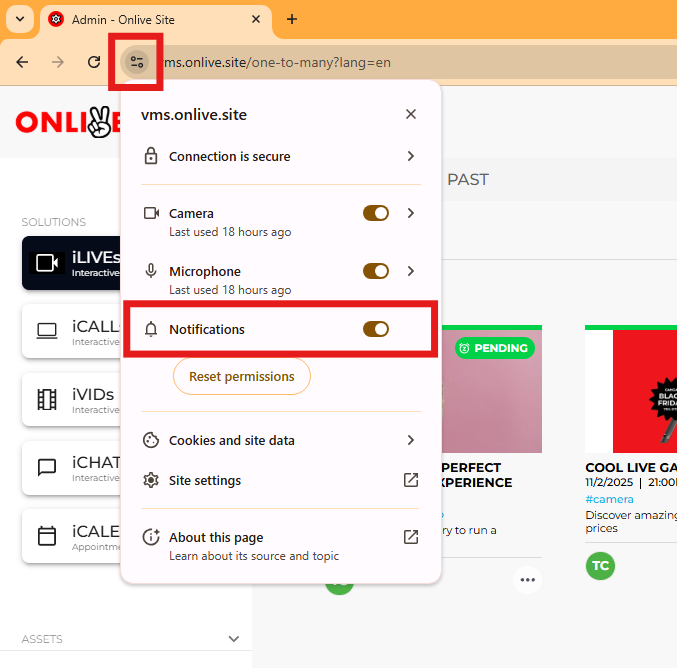
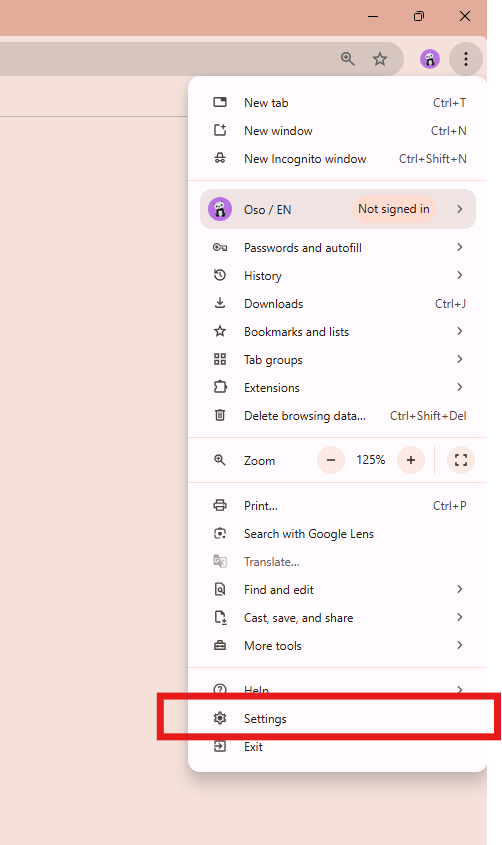
You can also do this by accessing your browser settings.
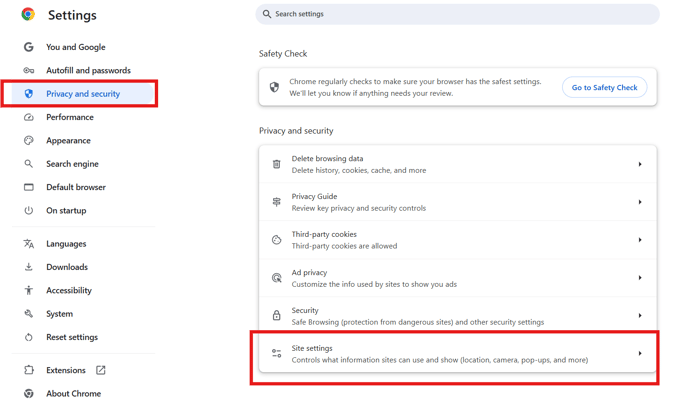
Then go to Privacy & Security > Settings
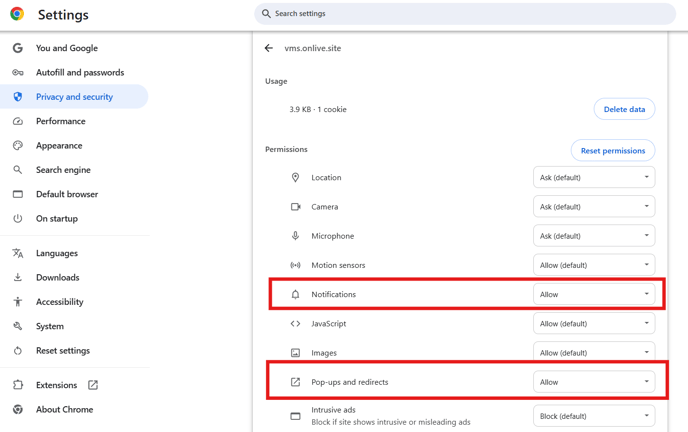
Select vms.onlive.site:
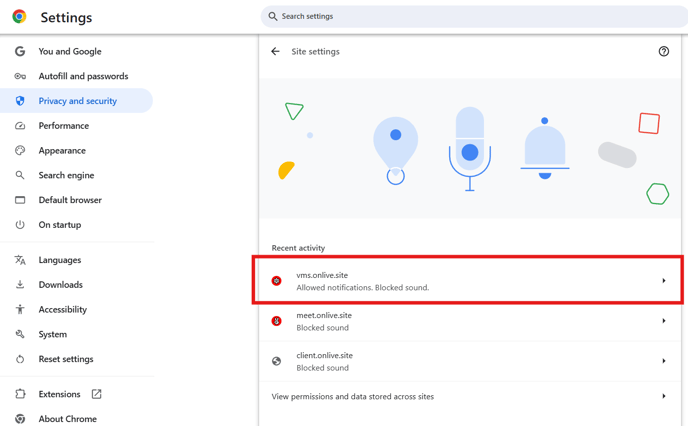
Activate the desired options: