
It may happen that a vehicle breaks down and is out of service. In this case we consider two possible scenarios depending on whether or not we have visibility of when the vehicle could be fixed and be available again to be reserved for Test Drives. Below we explain how to deal with each of these scenarios.
2.4.2.1 SCENARIO 1: A DATE HAS BEEN SET FOR THE REPAIR AND RESUMPTION OF THE SERVICE
If we know that the vehicle will be out of service for a certain period and we already know the date on which service will be resumed, the Agent should take the steps below to allow more bookings to be processed while excluding the days on which the vehicle cannot be used.
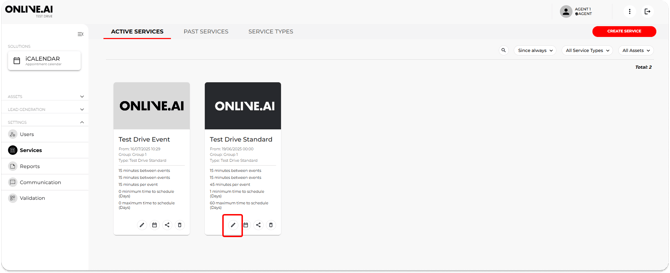
1. Go to the “Services” or “My availability” section and click on the pencil “Edit” icon for the service template that will be affected by the faulty vehicle.

2. Mark the Car as “Unavailable”
3. Mark the period during which the vehicle will be out of service
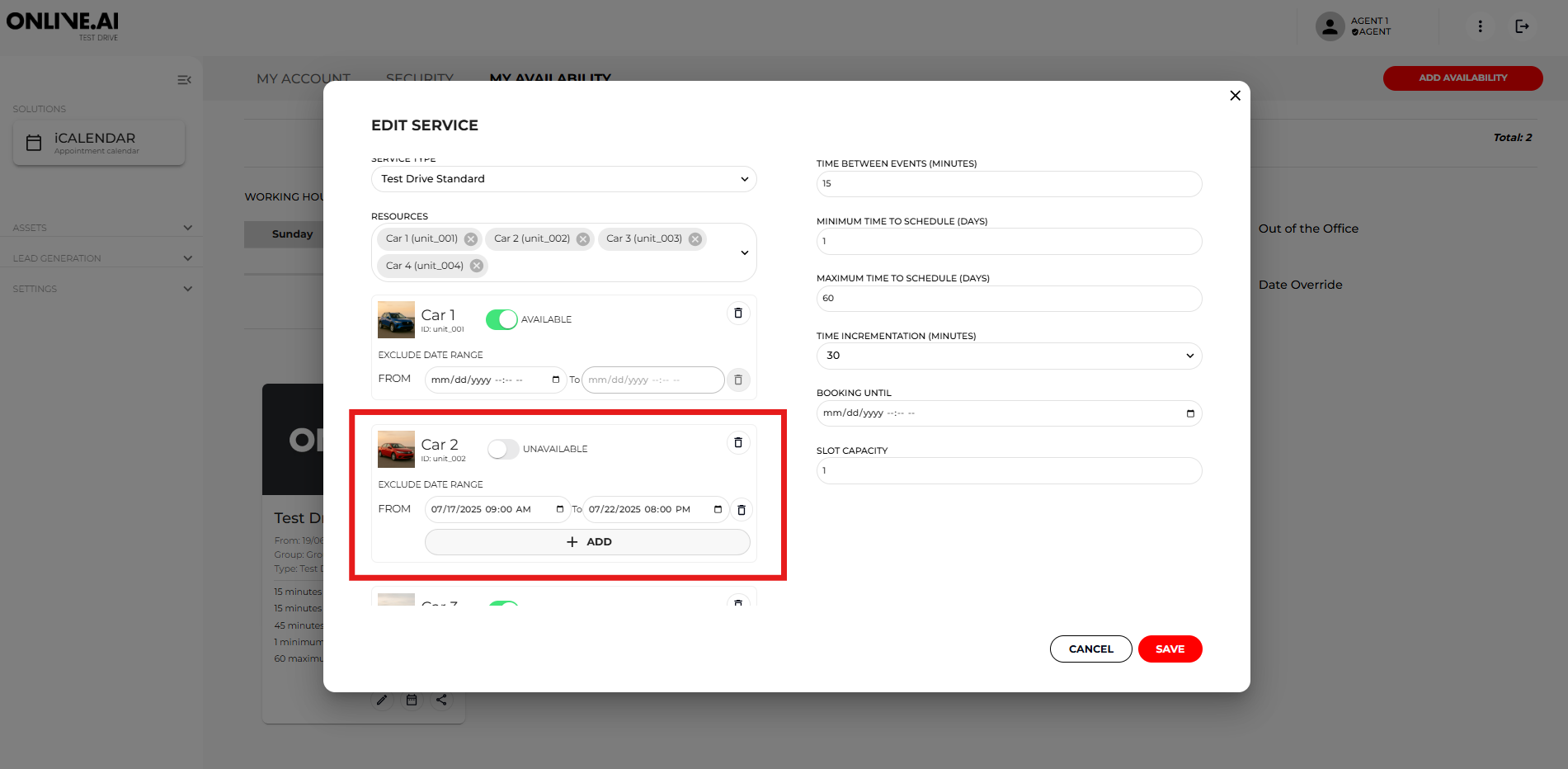
This will enable bookings to be made for dates after the date range set as “Unavailable”.
If bookings are affected by the fault and need to be cancelled (they cannot be changed to another date/time), the Agent will need to open the bookings and follow the cancellation procedure described above and set the Sub-status to “Cancelled by agent: vehicle fault”.
2.4.2.2 SCENARIO 2: A DATE HAS NOT BEEN SET FOR THE REPAIR AND RESUMPTION OF THE SERVICE
If we do not know how long the vehicle will be out of service or we know that the repair will not be completed before the vehicle must be relocated to another dealership on the roadshow, follow the same steps as described in the previous section except for Step 3):
1. Go to the “Services” or “My availability” section and click on the pencil “Edit” icon for the service template that will be affected by the faulty vehicle.
2. Mark the service as “Unavailable”.
3. Set no dates in the “From”/“To” fields so the period remains indefinite.
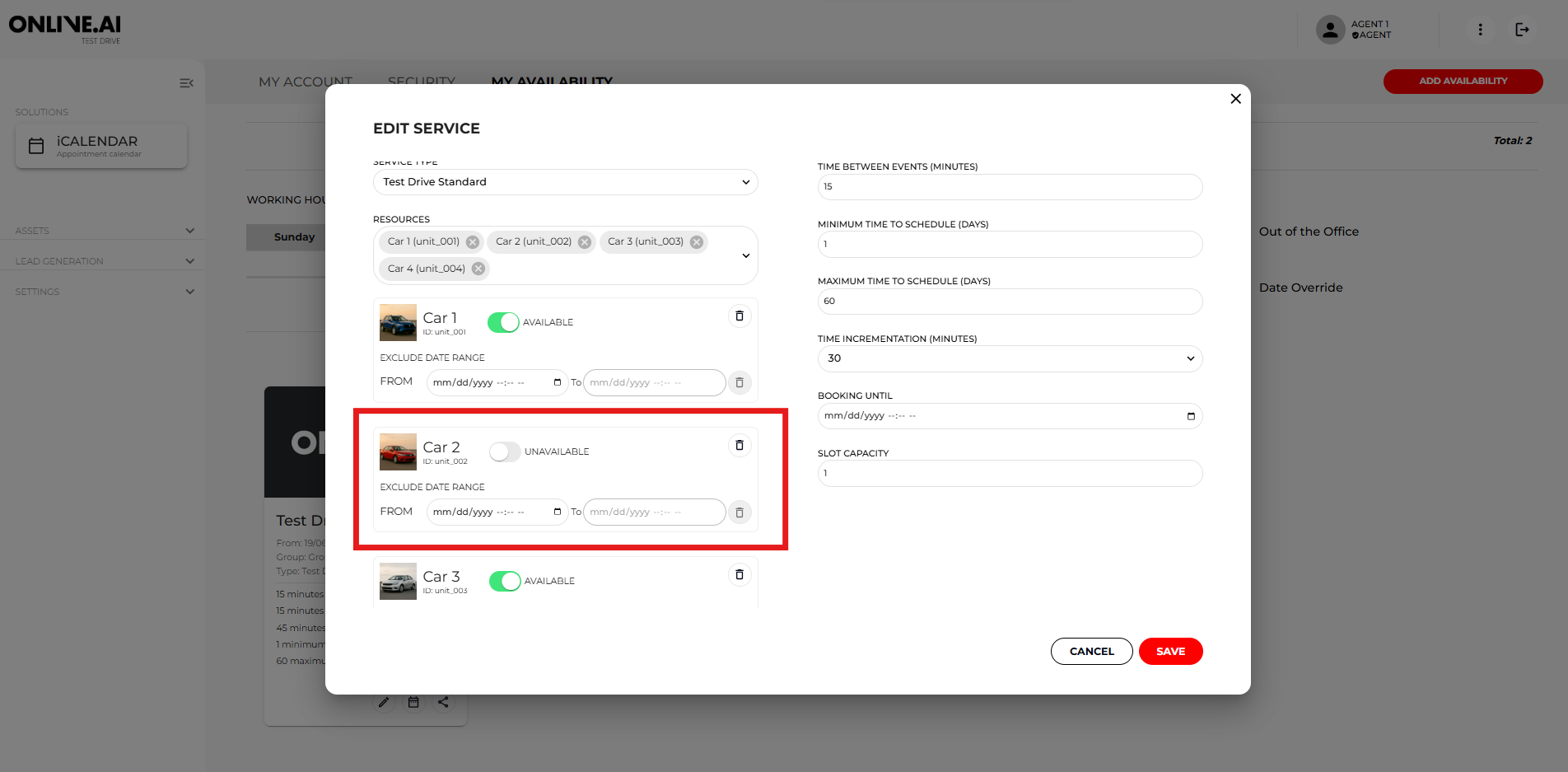
This will make it impossible to book the Car at this dealership unless other vehicles are available.
As a result, the procedure described above will need to be followed to cancel any future bookings affected by the fault.If bookings are affected by the fault and need to be cancelled (they cannot be changed to another date/time), the Agent will need to open the bookings and follow the cancellation procedure described above and set the Sub-status to “Cancelled by Agent: vehicle fault”.