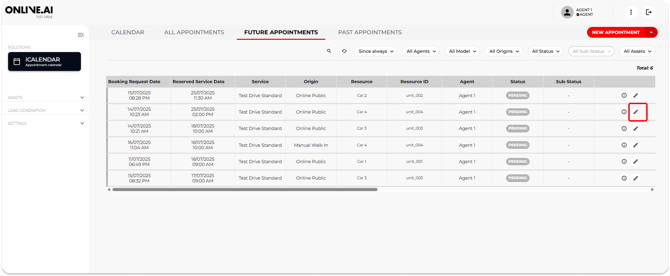
Imagine that a user wants to change the time or date of their test drive booking and contacts a Agent to find an available timeslot.
The Agent will need to open the booking in question, and change the date and time based on availability.
This can be done from the Calendar view or from the Appointment tab by clicking the “Edit” icon in the corresponding booking and changing the date and/or time based on availability.
Once the changes are saved, a confirmation e-mail will be automatically sent with the new date and/or time to both the end user/customer and the Agent.