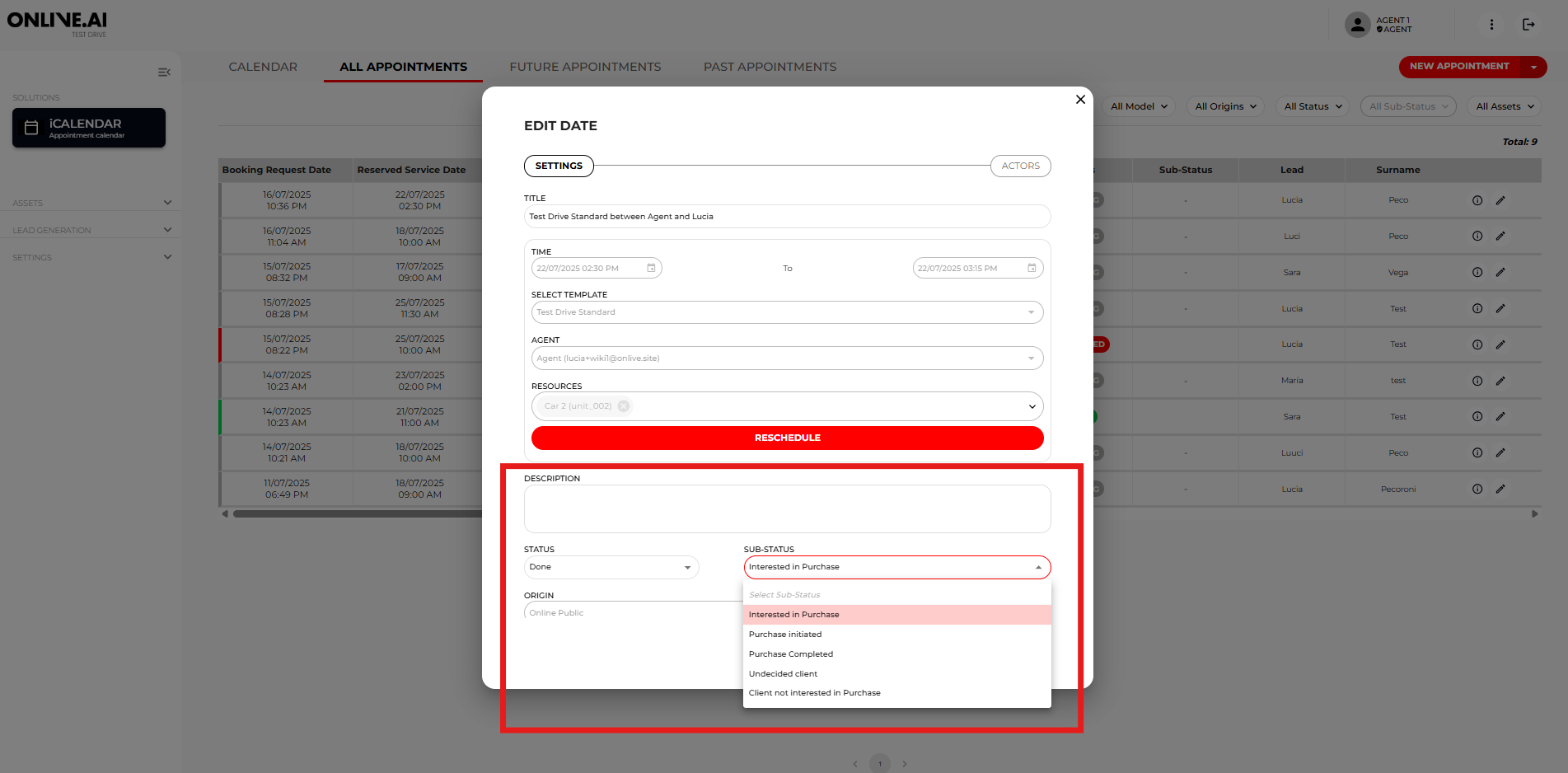
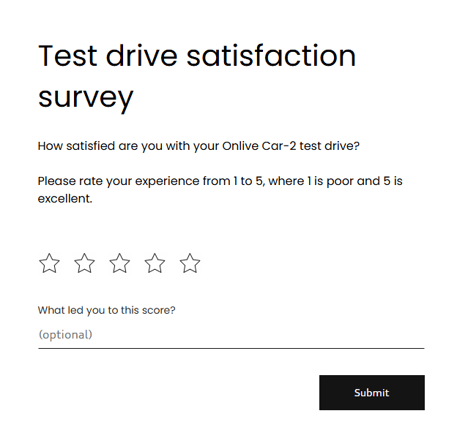
After taking the test drive, the Agent must change the Status field in the booking from “Pending” to “Done”. Once the status is changed to “Done”, an e-mail will be automatically sent to the user with the Satisfaction survey. The Agent must fill out all the other fields that enrich the specific information about the test drive in question:
- Sub-status - Select the most appropriate option from the dropdown menu after the booking. If a sale eventually takes place after a driving test, change the sub-status to “Purchase made”.
- Additional information about the lead/contact - This is a free text field for the agent to include information such as the driver’s licence number or anything else that may be relevant to internal procedures relating to fines, insurance, etc. (this field can be completed pre-test drive and post-test drive).
- Comments from the agent: Leave a short description about how the driving test went, the next steps and the user rating (this field can be completed pre-test drive and post-test drive)