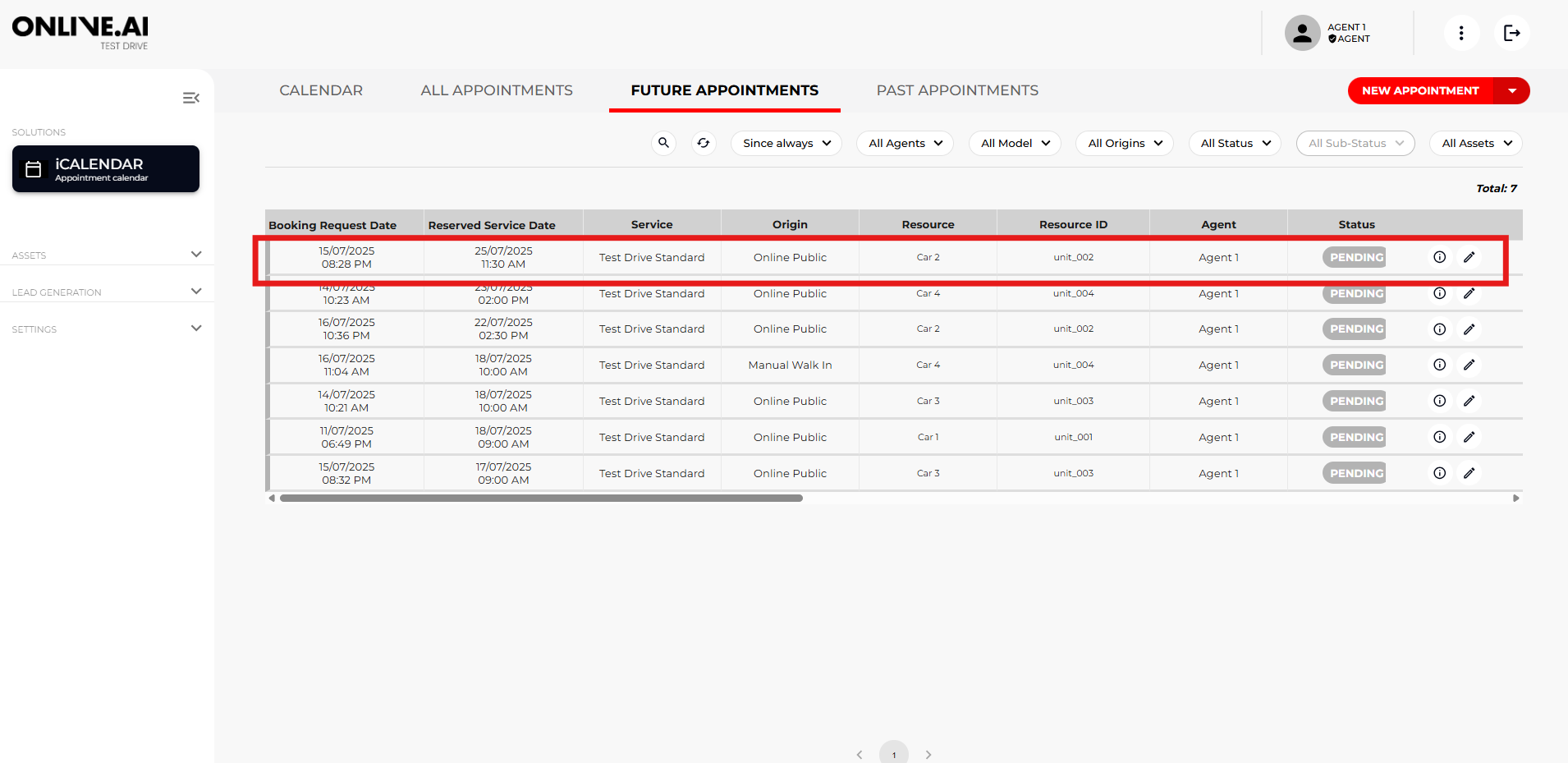
In this section you can see the whole process that an end user/potential customer goes through to book a Test Drive appointment with an Agent.
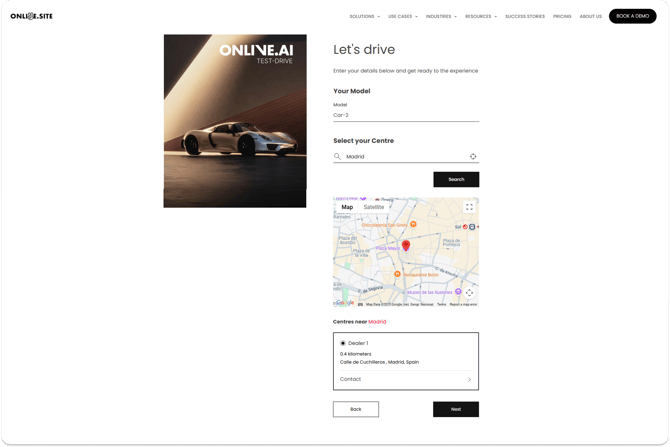
On the first screen, the user must select the vehicle he/she is interested in for a Test Drive.

Once the vehicle has been selected, the user will add their postcode and the nearest available dealers will automatically appear so that they can select the dealer that best suits their needs.
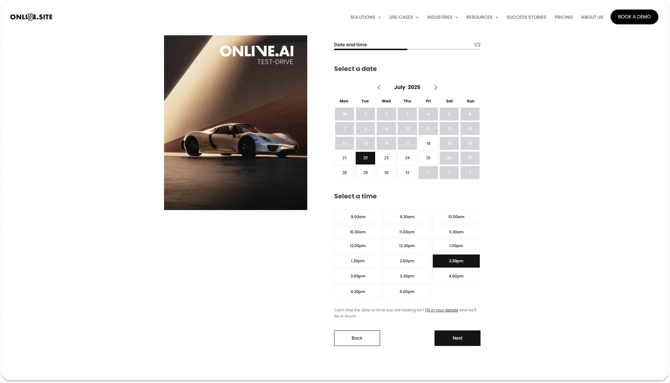
The user can then select the date and time that best suits the user from those available.
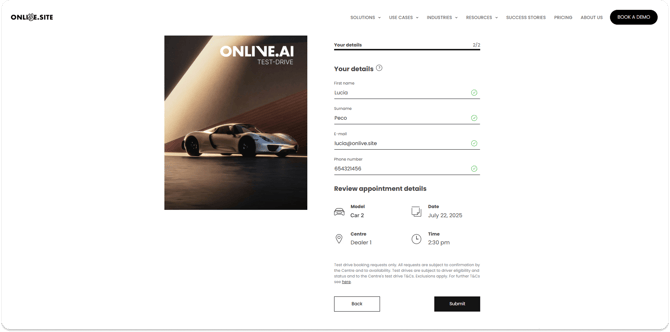
They will add their details to be able to book the date for the Test Drive.
In this case, the Agent does not need to take any action. The booking will be automatically reflected in his calendar, in the table view of ‘All appointments’ and ‘Future appointments’. Additionally, the Agent will receive an email notification about the new booking and other reminders when the booking is coming up.
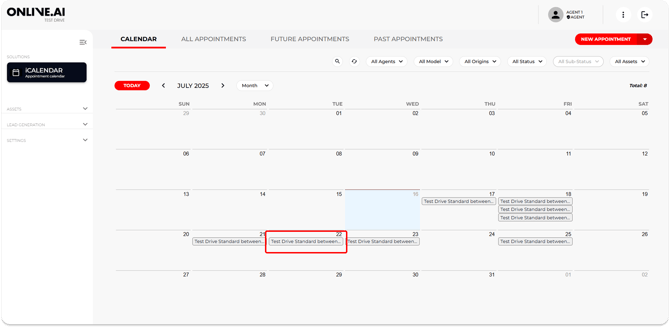
In the table view and in the detail of the appointment, all the fields with information provided by the user during the process can be seen and additional information can be added in the available fields.
When the booking is made online by the end user, the ORIGIN (Source) will be ‘Online’ and the Status ‘Pending’. Also, the Agent will be able to add additional information in the free text fields ‘Customer Comments’ or ‘Agent Comments’.